 PlayEarn
GN55 Game Review: Budget Android Performance Test
We Tested GN55 Game on a Rs. 20,000 Android Phone for a Week
Most GN55 Game videos show the app running on fast phones with plenty of memory. That doesn’t reflect how many people in Pakistan actually play. A large part of the audience uses older Android devices with 4 GB of RAM, limited storage and batteries that have already lost some capacity.
Before installing any third-party gaming app, read our guide on how to install APK files safely on Android.
To get a more useful picture, we tested the GN55 APK for seven days on a three-year-old Android phone worth around Rs. 20,000. The app ran mainly on mobile data for roughly one hour each day. We focused on loading times, card-game responsiveness, slot performance, live tables, data use, heat and crash recovery.
The results weren’t flawless, but they were better than expected in a few important areas. Card games ran reliably, payment menus stayed responsive and both crashes recovered without losing the recorded game state. Live tables placed the most pressure on the phone.
Quick GN55 Performance Summary
| Test area | Result |
|---|---|
| Testing period | 7 days |
| Test device | Three-year-old budget Android phone |
| Approximate phone value | Rs. 20,000 |
| Memory | 4 GB RAM |
| Daily use | Around one hour |
| Main connection | Mobile data |
| Cold start to lobby | 9–12 seconds |
| Card-room loading | 3–5 seconds |
| Slot loading | 4–8 seconds |
| Crashes | 2 in seven days |
| Crash location | Live-table section |
| Weekly data use | Around 900 MB |
| Temperature | Noticeably warm after 20+ minutes on live tables |
| Recovery | Game state restored after both crashes |
Quick Verdict: GN55 Android performance was acceptable on our budget test phone. Card games worked best, while live tables caused more heat and both recorded crashes.
Installing the GN55 APK
The GN55 APK installed without a recorded setup failure on the test phone. Since it comes as an APK file, Android users need to download it manually and allow installation from the browser or file manager being used.
Anyone installing it for the first time should check the file source, version number, package name and requested permissions before opening it. Our separate GN55 Download Guide explains these checks in more detail.
For step-by-step setup instructions, see How to Install GN55 APK. Avoid downloading altered copies from random social-media groups because they’re difficult to verify.
First Launch and Loading Speed
A cold start took between nine and twelve seconds before the main lobby became usable. That isn’t instant, but it didn’t feel unusually slow for an older phone with 4 GB of RAM.
Repeated launches felt easier once the app had already been used, although we didn’t record separate warm-start timings. The phone occasionally needed extra time when several background apps were still open.
Closing social-media and video applications before launching GN55 made sense on this hardware. A budget device has limited memory, and leaving several apps active reduces the amount available for games.
GN55 Performance Ratings
| Category | Rating | Test observation |
|---|---|---|
| Loading speed | 3.5/5 | Lobby opened in 9–12 seconds |
| Stability | 4/5 | Two crashes across seven days |
| Interface | 4/5 | Important menus remained readable and responsive |
| Battery impact | 3/5 | No percentage log; heat increased during live tables |
| Data usage | 3.5/5 | Roughly 900 MB across the test week |
| Budget-phone compatibility | 4/5 | Core areas remained usable on 4 GB RAM |
These ratings reflect one test device, not every Android phone. Processor speed, storage condition, Android version and network quality can change the experience.
Registration and Login Experience
The original test log didn’t record a timed registration process, so we won’t invent a signup speed. Registration generally sits outside the performance test unless the process is repeated on a clean account.
Login became relevant after the two live-table crashes. After reopening the GN55 App and signing back in, the previous state remained available. The recorded bets still stood, and the completed round result appeared after reconnection.
That recovery mattered more than a flashy login screen. When an app handles paid activity, users need to know what happens if the phone closes or the network drops.
Navigating the GN55 App
The interface worked best when moving through lighter sections. Text remained readable, taps registered correctly and the main payment screens didn’t show the stuttering seen in some animated areas.
The wallet and withdrawal pages were plain, but that suited the job. Payment menus should prioritize clear amounts, account details and confirmation buttons rather than heavy effects.
This GN55 Game Review only assesses how the deposit and withdrawal interface performed. The test data didn’t include a completed deposit or cash-out, so it doesn’t confirm processing speed or payout reliability.
For a completed mobile-wallet comparison, read our JazzCash versus EasyPaisa test for OK222.Our guide to what happens after tapping Withdraw on JJ55 explains the typical steps between submitting a request and receiving money.
Card Games Performed Best
Card games were the strongest part of the week-long test. Rooms took around three to five seconds to open, and gameplay remained stable on the budget phone.
The screen stayed readable, taps registered properly and we didn’t record missed inputs. Frame rates also appeared steadier than in animated slot sections.
For users comparing similar apps, our Best 777 Games in Pakistan article covers other options and the checks to make before installing them.
Players mainly interested in Teen Patti can also review the JJRS card-game selection.
Slot Performance and Animation Stutter
Most slots took four to eight seconds to load. Basic play remained usable, though some bonus animations stuttered when the screen became busy.
The visual pause could make a spin look as if it had failed. Based on the supplied test notes, the stutter affected the animation rather than changing the recorded result.
Players unfamiliar with these differences can read our guide to slot volatility and game behaviour.
This is an important distinction for anyone using a GN55 Casino Game on weaker hardware. A dropped frame can look dramatic even when the server has already processed the round.
Users interested in newer releases can compare them in the Latest Casino Games section.
Live Tables Caused the Most Trouble
Live tables placed the heaviest load on the test phone. Both crashes during the seven-day period happened in this area.
After more than twenty minutes of live-table use, the phone became noticeably warm. Streaming video, continuous network activity and live interface updates placed more pressure on the device than card rooms or standard menus.
The app restored the saved state after both crashes. Still, users with older phones should treat live tables as the most demanding section.
Live tables use continuous video and network activity. Our guide to how live-dealer games work on VK999 explains why they are heavier than standard card rooms.
Budget Phone Tip: Don’t play live tables while charging. Charging already creates heat, and a demanding game can push the device temperature higher.
Battery, Data Use and Phone Temperature
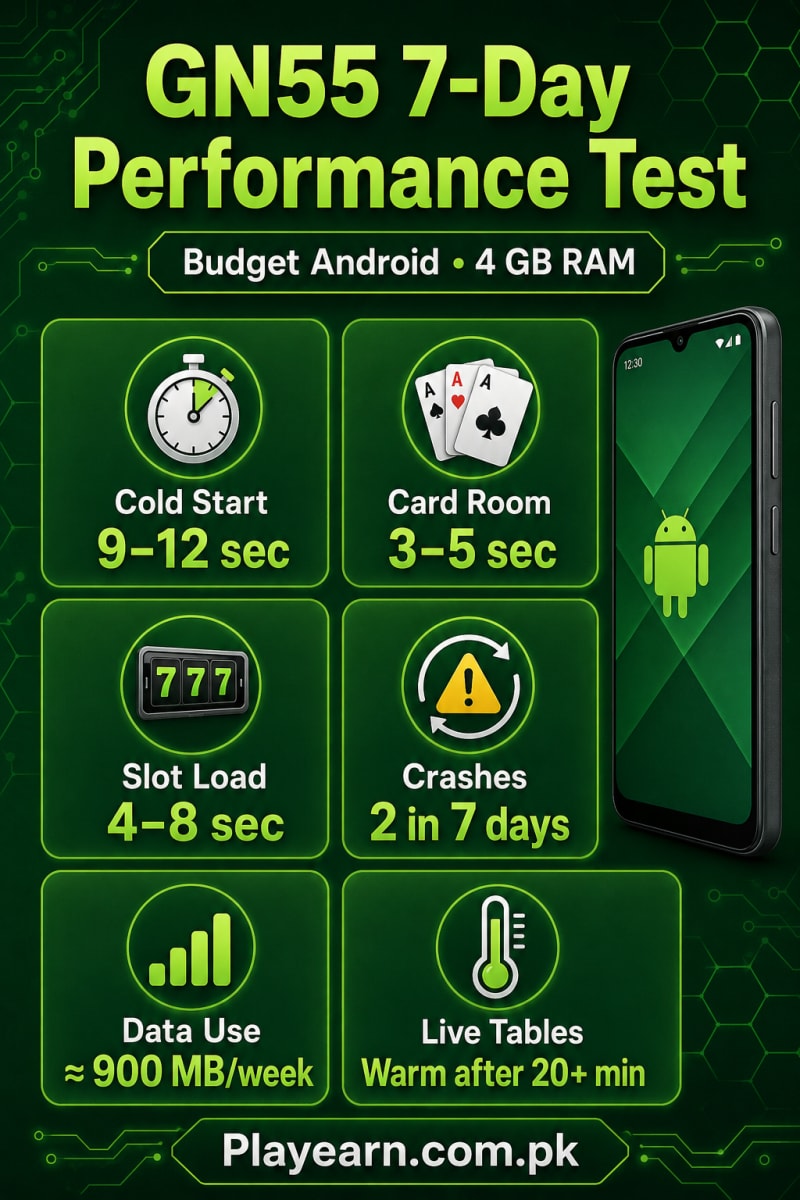
The test consumed around 900 MB of mobile data across seven days at roughly one hour per day. That works out to an average near 128 MB daily, though live-table sessions will use more than static card games or account menus.
We didn’t record battery percentages before and after each session, so this review can’t provide a precise drain rate. The clearest battery-related sign was heat during extended live-table use.
The GN55 App stayed cooler in card rooms and payment menus. Anyone with a worn battery should use shorter sessions and let the phone cool down if the back panel becomes uncomfortable.
Users with entry-level phones can compare GN55 with other lightweight Android casino apps in the RS Games guide.
Crash Recovery and Reconnecting
Crash recovery was one of the most useful findings. Both failures occurred during live-table activity, yet the server retained the recorded state.
After reopening the app and logging back in:
- The account remained accessible.
- Recorded bets were still present.
- The round result appeared.
- No duplicate action was required.
- The user could continue from the restored state.
A recovery test on two crashes doesn’t prove that every interruption will end the same way. Still, both recorded cases behaved correctly.
If the connection drops, avoid tapping the same paid action several times. Reconnect, check the transaction or bet history and confirm the previous status first.
The same caution applies to withdrawals. Read what happens after submitting a gaming withdrawal before repeating a payment or cash-out request.
Tips for Budget Android Phones
Before starting a longer GN55 session:
- Close video, social-media and editing apps.
- Keep at least 1–2 GB of storage free.
- Restart the phone if it has been running for several days.
- Prefer Wi-Fi for live tables and streaming sections.
- Avoid playing while the phone is charging.
- Reduce screen brightness to limit heat and battery drain.
- Use shorter sessions on devices with old batteries.
- Pause if the phone becomes unusually hot.
- Don’t repeatedly tap after a network interruption.
- Check the account history after reconnecting.
Readers looking for lighter alternatives can browse our Android Earning Games category.
GN55 Game Pros and Cons
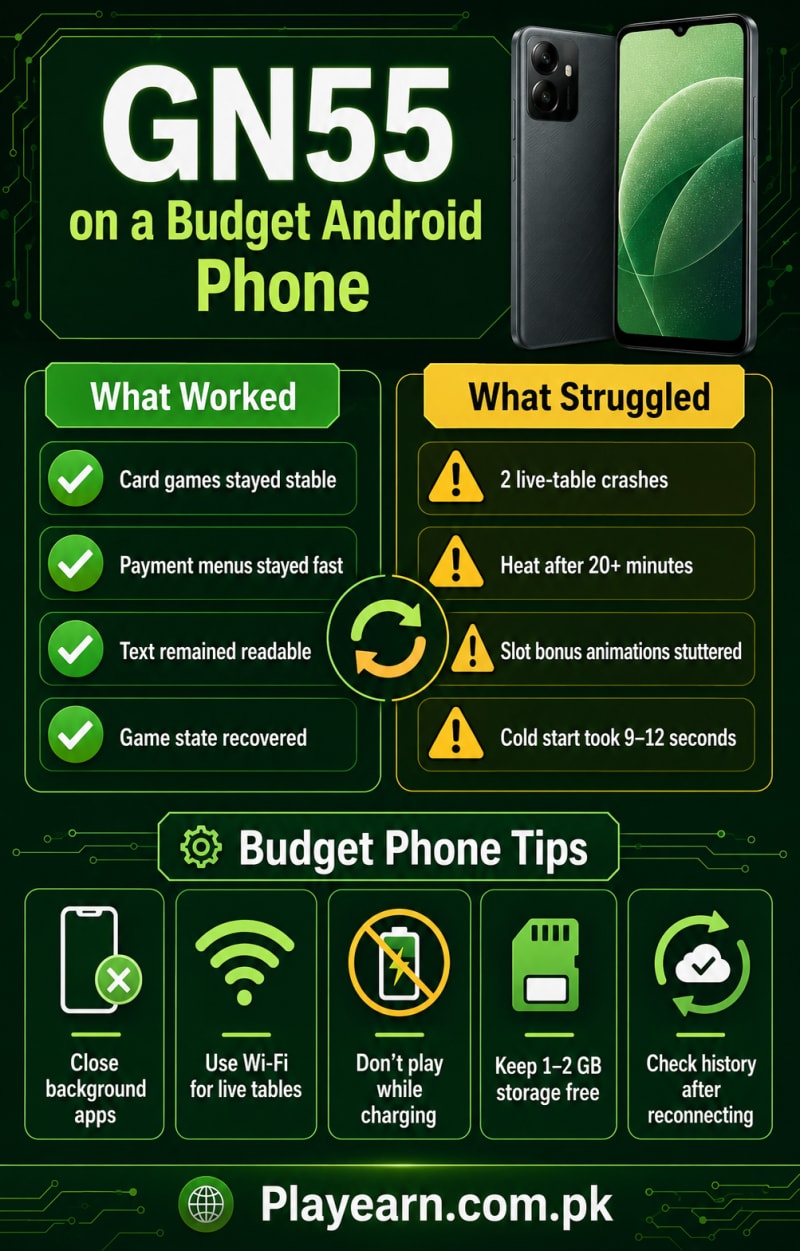
| Pros | Cons |
|---|---|
| Card rooms opened in 3–5 seconds | Cold startup took up to 12 seconds |
| Card games stayed responsive | Live tables caused both crashes |
| Text remained readable on a budget screen | Phone became warm during longer live sessions |
| Payment menus loaded without recorded lag | Some slot bonus animations stuttered |
| Game state returned after both crashes | Weekly data use reached around 900 MB |
| Usable on a three-year-old 4 GB phone | Battery drain wasn’t measured precisely |
Final Verdict
The GN55 Game ran better on a Rs. 20,000 Android phone than its most demanding sections suggested. Card games were stable, menus stayed responsive and slot titles remained playable despite occasional animation stutter.
Live tables were the weak point. They caused both crashes and raised the phone’s temperature after longer sessions. The positive part was recovery: in both cases, the recorded game state remained intact after logging back in.
For a budget-phone user, GN55 works best in shorter sessions with background apps closed. Stick to Wi-Fi for streaming sections, watch the phone’s temperature and don’t play while charging.
This isn’t a replacement for a high-end gaming phone, but the GN55 APK remained usable across the seven-day test. Treat it as paid entertainment, set a firm budget and never chase a loss.
Compare GN55 with more Android casino apps in our RS Games Pakistan guide, best 777 games comparison, or complete 999 Games family guide.
Frequently Asked Questions
Does GN55 Game work on a 4 GB RAM phone?
It worked on the three-year-old 4 GB Android phone used for this test. Card games performed better than live tables.
How long does GN55 take to open?
The GN55 App took around nine to twelve seconds to reach the lobby from a cold start.
Does GN55 use a lot of mobile data?
The seven-day test used roughly 900 MB at around one hour per day. Live-table streaming consumes more data than lighter sections.
Did GN55 crash during testing?
Yes. Two crashes occurred during live-table sessions. The app restored the recorded state after reopening and logging back in.
Where can I download GN55 APK?
Use the site’s GN55 Download Guide to check the latest file information and installation steps before starting the GN55 APK Download.
Responsible-Use Notice: Adults only. Use an entertainment budget, protect your login details and stop if gaming begins affecting your finances or daily responsibilities.